Left Panel
Use of disk ressources
Donut diagram of free and used space
This diagram gives you an overview of the available disk space on the server for your analyses, consult it after each analysis to establish efficient resource management.

Operations menu
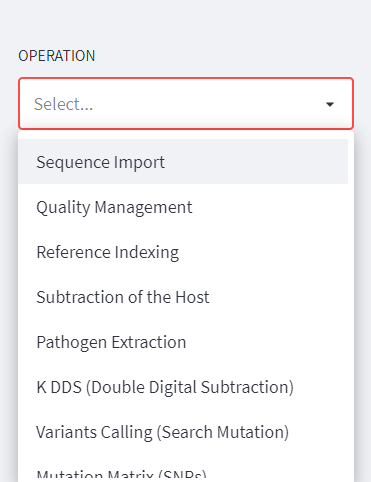
In the menu you will find all possible operations (see table of available operations), from importing files to emptying the analysis directory.
Note
DREPAL-IPCINGSTOOLSKIT is made up of autumn pipelines but to be executed sequentially, i.e. certain operations are conditioned by the result of those which precede them.
Operations |
Description |
|---|---|
Sequence Import |
In this section import raw sequences and references (host and pathogen. |
Quality Management |
In this section, view the quality of the reads and cut them if necessary. |
References Indexing |
Indexing host and pathogen references. |
Substraction of the Host |
Remove the host’s share of the reads. |
Pathogen Extraction |
Kept the corresponding share of pathogens in each reads. |
K DDS (Double Digital Subtraction) |
It is optional to visualise the host, pathogen and other parts contained in each read. |
Variants Calling |
This is the part of the analysis that consists of finding the mutations by using a number of technologies. |
Mutation Matrix (SNPs) |
The Mutation Matrix (for SNPs) allows us to have an overview of the SNP type mutations for all reads in a spreadsheet facilitating a number of downstream statistical analyses. |
Variants Annotations |
Used to assign functional information to mutations via Snpeff and SnpSift. |
Directory Managemen |
This section allows for the dumping of what appears to be the scan directory to save disk resources once the scan is complete or in the event of an error. |