Sequence Import
All the analyses in DREPAL-IPCINGSTOOLSKIT are based on the import of sequences from clinical isolates and references.
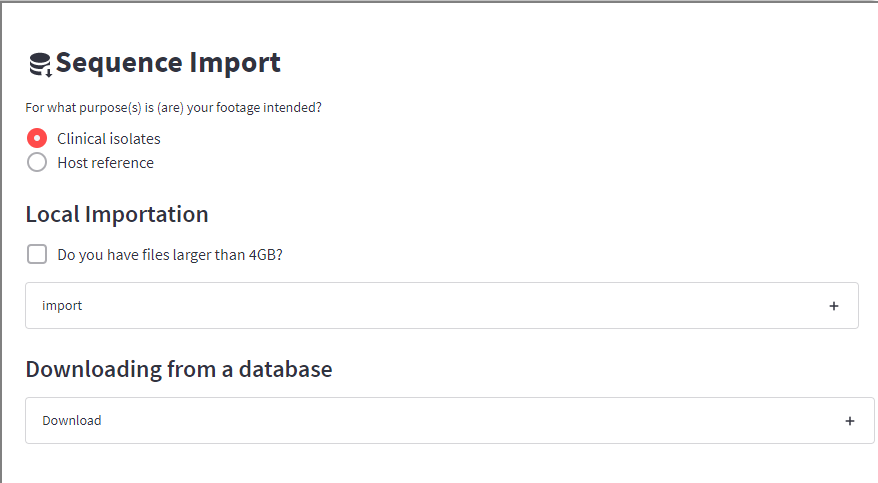
Clinical Isolates (fastq,gz)
The clinical isolates represent the raw data in “fastq” or “fastq.gz” format, a compressed, Paired-End format.
Note
file naming in DREPAL-IPCINGSTOOLSKIT is very important. The following nomenclature examples are taken into account:
"xxxxxxxx_R1.fastq"et"xxxxxxxx_R2.fastq""xxxxxxxx_1.fastq"et"xxxxxxxx_2.fastq"
in *fastq.gz format.
In DREPAL-IPCINGSTOOLSKIT you have three (3) options for importing raw data:
Method 1
the first import method is the most conventional and consists of using the uploaded section.
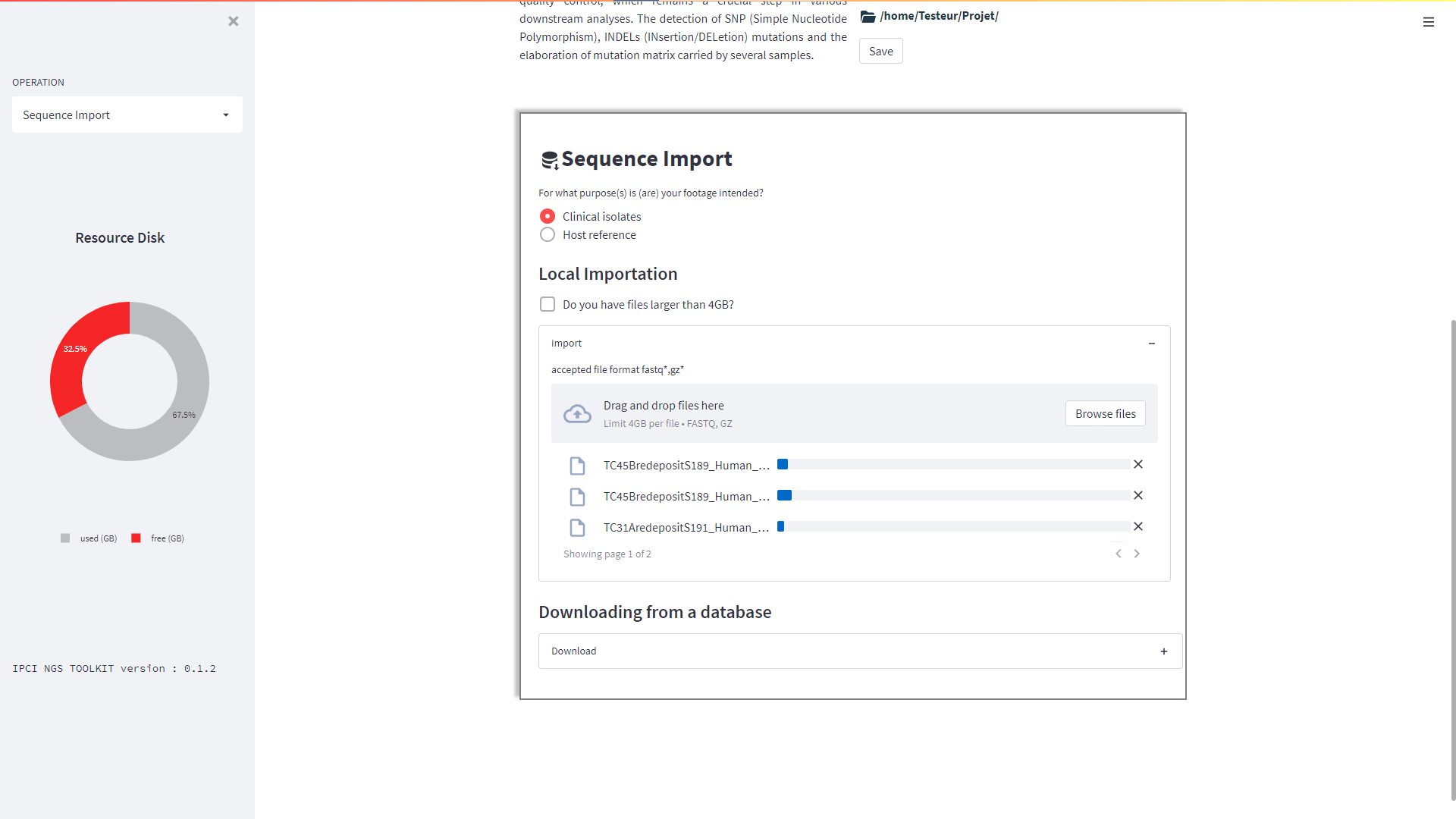
Note
Only use it if the file size does not exceed 4Gb.
Method 2
The second method consists of importing a "tsv" file containing the "ftp" link column of the Paired-End files from the EBI.
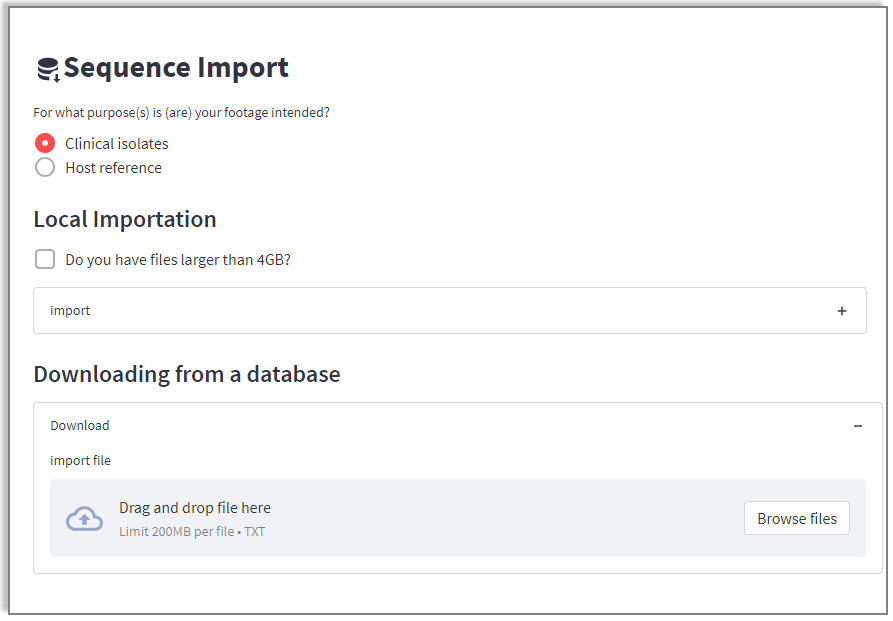
tsv example :

Method 3
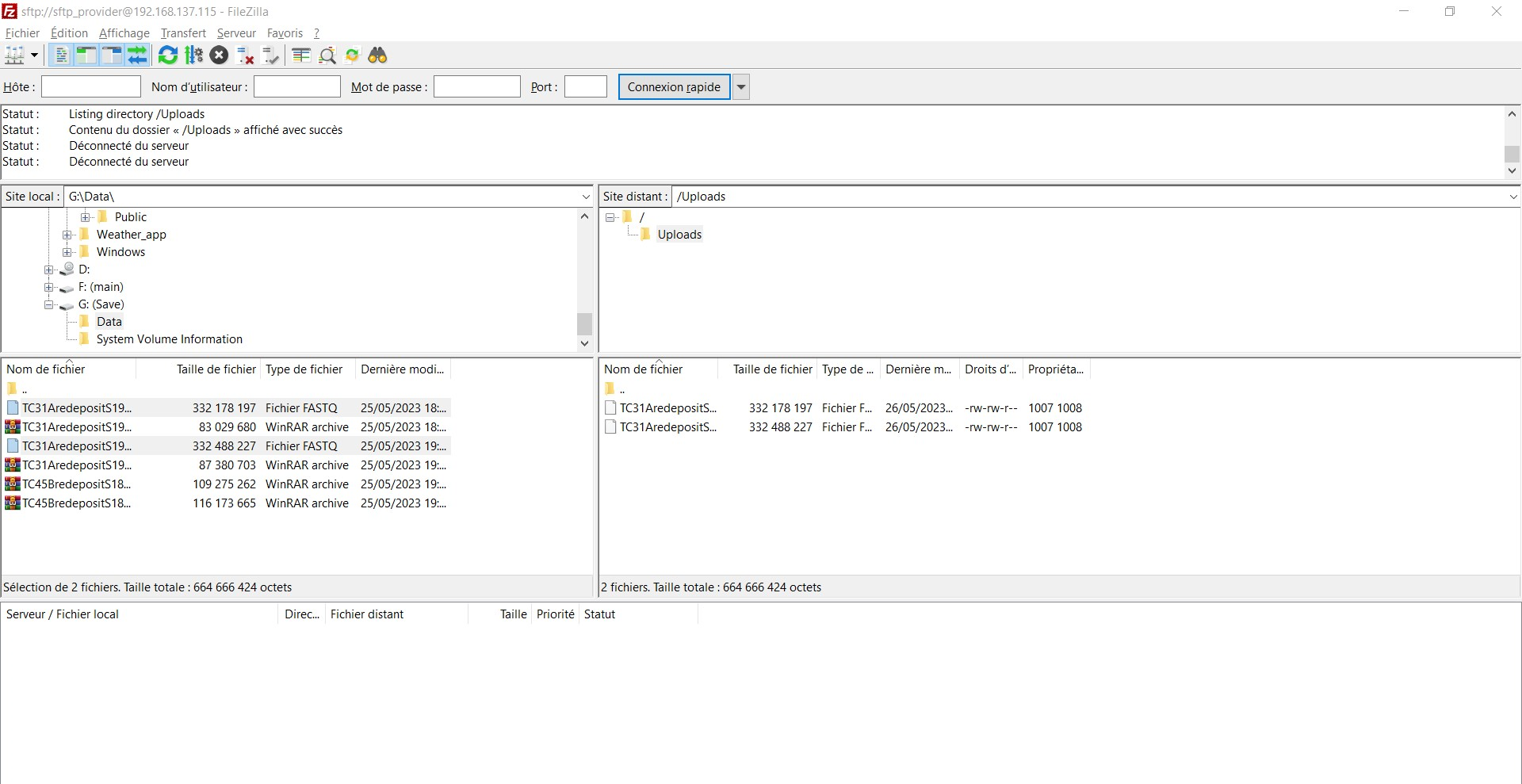
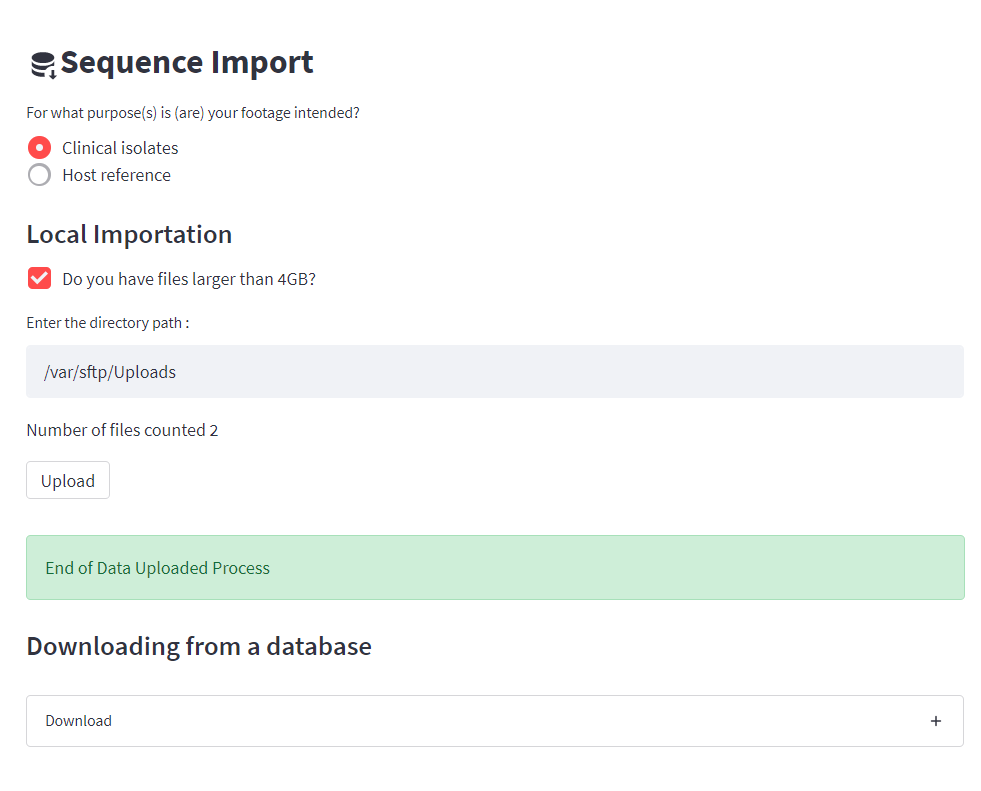
The third method allows users to upload files larger than 4Gb. It consists in gathering these files “fastq” or “fastq.gz” in a repertory then to paste the path of those in the zone text then to click on button televersé so that your files are imported into DREPAL-IPCINGSTOOLSKIT.if you don’t work directly on the server, then the "sftp" configuration during installation will be very useful. From your Filezilla client you can upload your files.
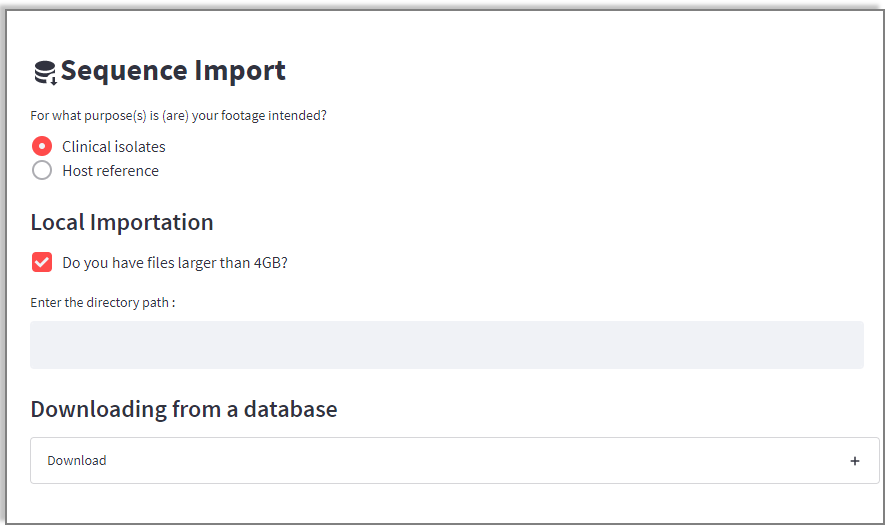
Client Filezilla
Note
In the case of sftp configurations, the link to be pasted when importing files larger than 4GB is as follows:
"/var/sftp/User1/Upload" where User1 is a user created on the server during sftp configuration.
References Import (fasta files)
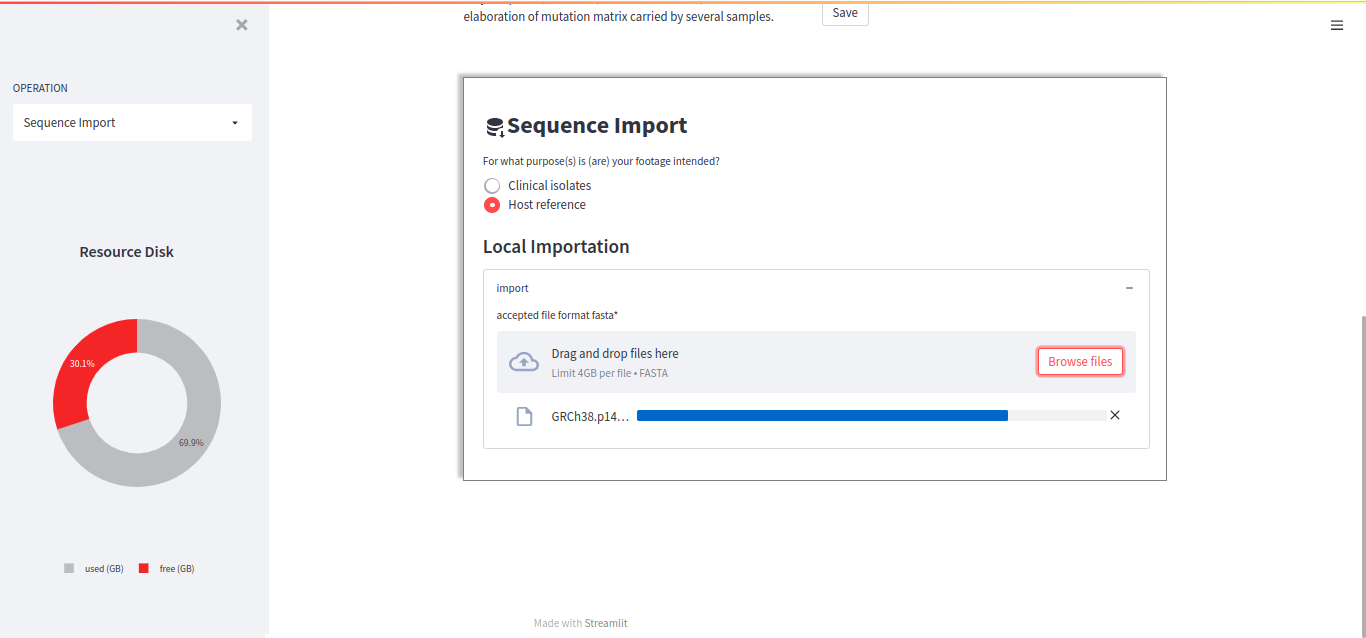
For reference imports, the accepted format is "fasta".Select your references and wait until the upload is complete.
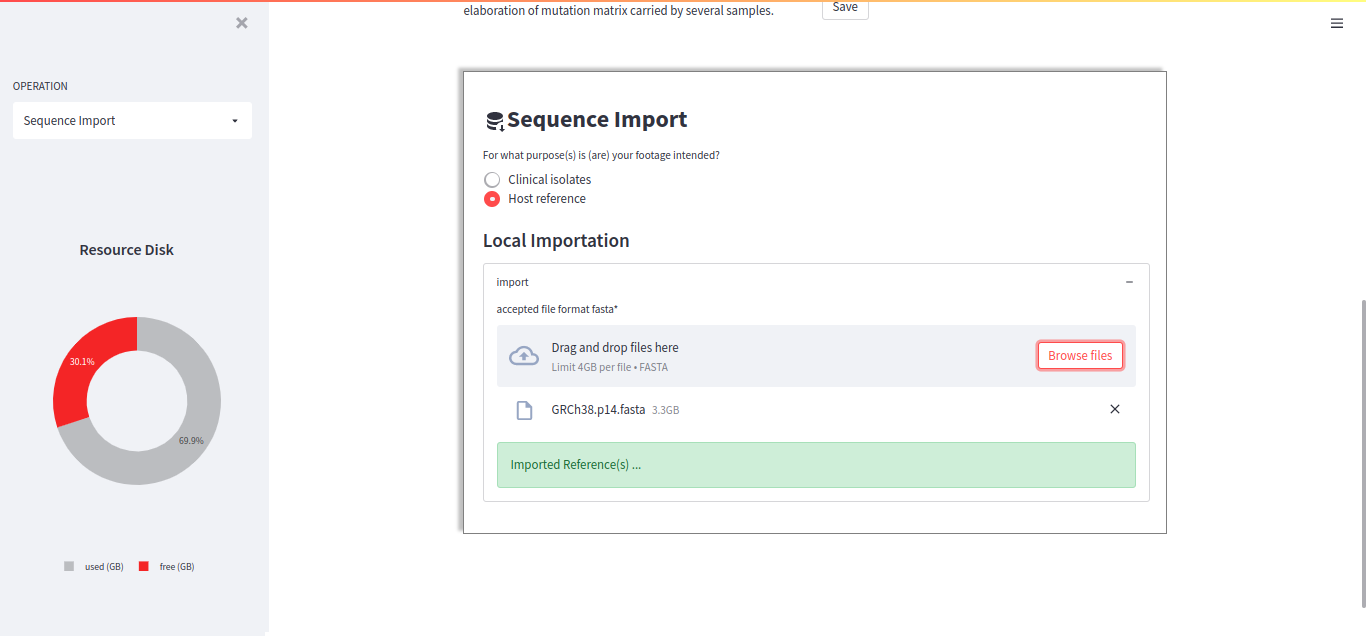
When the reference has been successfully imported, the following message will appear:
Note
In DREPAL-IPCINGSTOOLSKIT, don’t forget to import the host and pathogen references.